
Product Overview
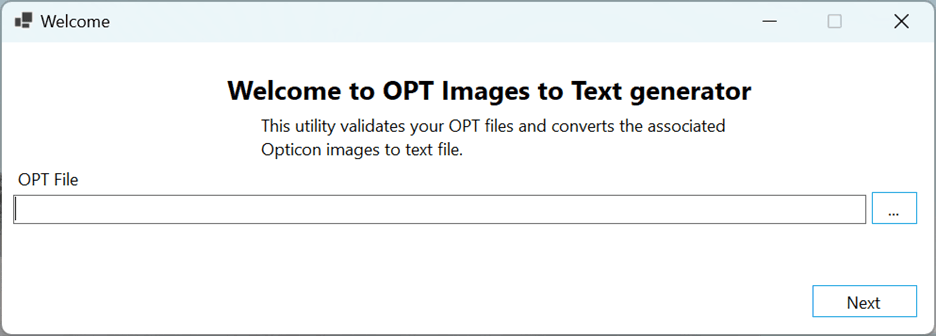
Easily convert Opticon image files to searchable text with our efficient and secure conversion tool. Designed for legal professionals and document specialists, this solution streamlines your document review process by extracting readable text from images referenced in .OPT files. Say goodbye to manual data entry and enjoy fast, accurate text generation.
🔧 Configuration Steps
💡 Why Use Our Opticon to Searchable Text Tool?
✓
Quick Conversion: Converts scanned legal images to plain text quickly
✓
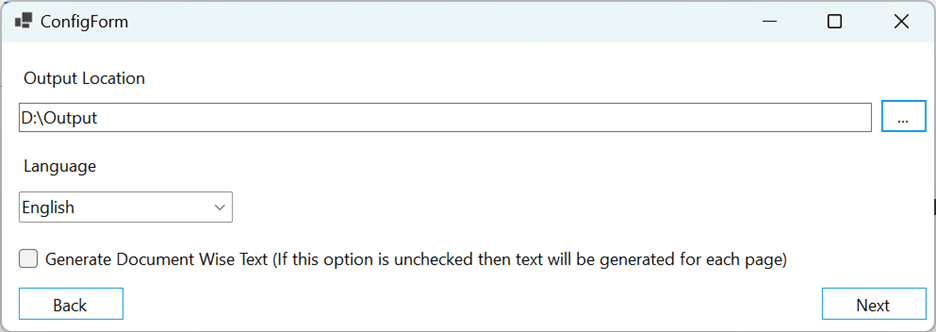
Language Support: Supports language-specific OCR for accurate results
✓
Structured Output: Maintains document structure using Bates numbers
✓
Time Savings: Saves time on manual transcription and review
🔗 Helpful Resources
📄
What is an Opticon file?
Learn about Opticon file formats and structure
Learn about Opticon file formats and structure
Opticon files and legal load formats
EDRM resources on legal document standards
EDRM resources on legal document standards
Relativity Mass Native Downloader
Explore our bulk document download tool
Explore our bulk document download tool
Opticon to Searchable PDF
Convert Opticon files to searchable PDF format
Convert Opticon files to searchable PDF format
💻 System Requirements
- Windows operating system (Windows 10 or later recommended)
- Read access to .OPT files and associated image files
- Write access for output text directory
- Sufficient disk space for extracted text files
- OCR engine with multilingual support
Reviews
There are no reviews yet.