

Product Overview
Opticon to searchable PDF conversion is essential for legal professionals working with scanned image files in .OPT format. This process enables full-text search, highlights, and easy access to information buried within non-searchable image documents. Whether you’re handling legal discovery or building a case archive, this tool makes the task faster and more efficient.
🔧 Features
Input File Support
Simply upload the path to your .OPT file that lists your document images.
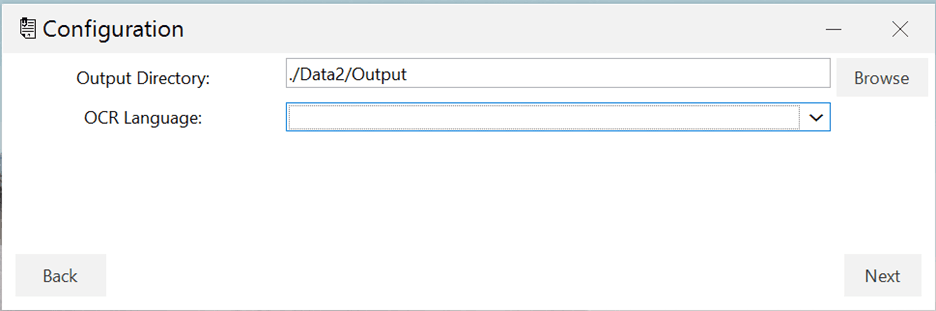
Output Folder Selection
Choose where the tool should save the searchable PDF files.
Multilingual OCR
Select from a wide range of languages to ensure text is recognized accurately.
Click-and-Convert Simplicity
After configuration, just click “Convert,” and let the tool do the work.
🚀 Why Use This Tool?
This tool empowers legal professionals to:
Search full text within scanned documents
Increase productivity during document review
Work with international documents, thanks to language support
Generate high-quality PDFs from legacy image formats
In addition, by converting image-based legal records to searchable PDFs, firms can ensure better compliance and easier record management.
🧭 How It Works
- 1
Load the.OPTfile and associated image files. - 2
Choose an output folder for the new PDFs. - 3
Set your OCR language preference. - 4
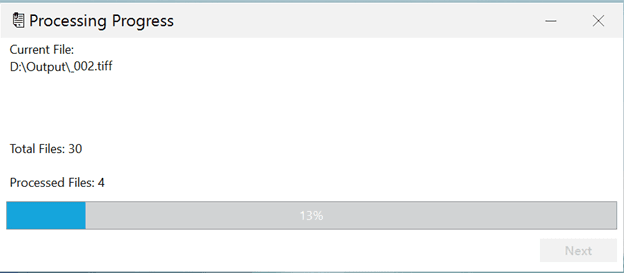
Click the “Start Conversion” button. - 5
Receive searchable PDFs in minutes.
📚 Additional Resources
- Windows operating system (Windows 10 or later recommended)
- Read access to .OPT files and associated image files (TIFF, JPG, etc.)
- Write access for output PDF directory
- Sufficient disk space for converted PDF files
- OCR engine with multilingual support
Reviews
There are no reviews yet.