
Product Overview
Ensure the integrity and readiness of your RSMF (Relativity Short Message Format) files before loading them into Relativity or sharing with third parties using the RSMF Validator. This lightweight but powerful utility scans RSMF files for structural accuracy, validation status, errors, and warnings—providing a detailed report that helps avoid costly ingestion failures and rework during eDiscovery.
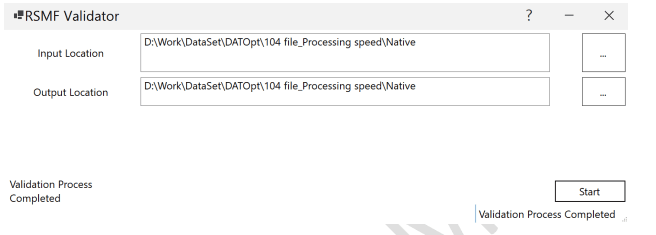
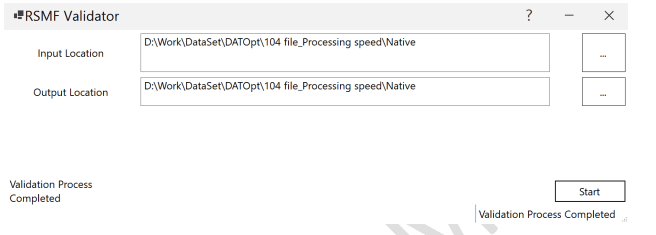
RSMF Validator Interface
✅ Key Features
Validate Before You Load
Automatically check the validity of RSMF files before importing them into Relativity or delivering to clients. Catch structural issues, formatting errors, and validation problems before they cause costly import failures or production delays.
Input Folder Selection
Simply specify the directory containing your RSMF files for automated scanning. The tool processes all RSMF files in the folder without requiring individual file selection, making batch validation effortless.
Clear Validation Output
For each file, the tool generates a CSV file with detailed validation results. This structured output makes it easy to identify and address issues across large document sets.
CSV Output Fields:
FileName– Name of the RSMF file being validatedIsValidated– Whether the file passed validation (True/False)Error– Specific validation errors, if any were foundWarning– Warnings to review before submission
Batch Processing Support
Validates all RSMF files in the specified folder in a single run—ideal for bulk workflows. Process hundreds or thousands of files automatically without manual intervention, saving hours of validation time.
Safe for Legal Use
Keeps data local to your system for maximum security during compliance or litigation reviews. All validation processing occurs on your local machine—no data is transmitted externally, ensuring client confidentiality and compliance with data security requirements.
⚙️ How to Use the RSMF Validator
-
1
Select Input Folder: Choose the directory containing your RSMF files that need validation. -
2
Run Validation: Click the validation button to start the automated scanning process. -
3
Review Results: The tool generates a CSV file containing validation results for all processed files. -
4
Address Issues: Fix any errors or warnings identified in the validation report before proceeding with import or production.
🧪 Common Use Cases
Pre-Relativity Upload Validation
Pre-checking RSMF data before Relativity uploads ensures that all files meet structural requirements, preventing failed imports and saving time on troubleshooting and rework.
Production Quality Control
Validating RSMF sets before producing to opposing counsel ensures professional delivery and prevents disputes about data quality or completeness.
Chat Export Integrity
Ensuring integrity of Slack, Teams, and mobile chat exports in legal matters by validating the RSMF format before review or production activities.
🔍 What Gets Validated
The RSMF Validator performs comprehensive checks on each file to ensure compliance with Relativity Short Message Format specifications:
Verifies that RSMF files follow the correct XML schema and structural requirements
Ensures all mandatory fields and attributes are present and properly formatted
Validates message content, timestamps, participants, and metadata completeness
Checks adherence to Relativity RSMF format specifications and best practices
Identifies potential issues that won’t prevent import but may affect data quality
Flags critical errors that will prevent successful import into Relativity
📊 Understanding the Validation Report
The validation report is generated as a CSV file with the following structure:
FileName,IsValidated,Error,Warning
message_001.rsmf,True,,
message_002.rsmf,False,Invalid XML structure,
message_003.rsmf,True,,Missing participant metadata
message_004.rsmf,False,Required field missing: timestamp,
message_005.rsmf,True,,
Interpreting Results:
File passed all validation checks and is ready for import or production
File is valid but has warnings—review warnings and decide if correction is needed
File has critical errors—must be fixed before import or production
Why Use the RSMF Validator?
Prevent Import Failures: Catch errors before uploading to Relativity, avoiding costly delays and rework
Quality Assurance: Ensure professional document productions with validated, error-free RSMF files
Time Savings: Batch validation processes hundreds of files automatically in minutes
Detailed Reporting: Clear CSV output makes it easy to identify and fix specific issues
Data Security: All processing stays local—no external data transmission
Compliance Support: Maintain data integrity requirements for litigation and regulatory matters
🔗 Our Other Products
Enhance your eDiscovery workflow with these complementary tools:
📊 RSMF Metadata Extractor
Extract structured metadata from validated RSMF files for analysis and review
🔽 Relativity Mass Native Downloader
Bulk download native files from Relativity for production or analysis
🌍 Helpful Resources
📌 Final Thoughts
The RSMF Validator is an essential tool for any legal team or eDiscovery professional working with short message communications. By catching errors early and ensuring proper file structure, you reduce the risk of Relativity upload failures and ensure reliable document productions. This proactive validation approach saves time, reduces costs, and maintains the professional quality standards expected in legal proceedings.
- Windows operating system (Windows 10 or later recommended)
- Read access to RSMF file directories
- Write access for generating CSV validation reports
- Sufficient disk space for output reports
- Local processing capability (no internet connection required)
Reviews
There are no reviews yet.